pokerjudge.com

PokerJudge
Texas Hold'em calculators and strategy notes open on the web with no account. One sign-in syncs the bankroll, home games, and the AI coach across the site, iPhone, and iPad.
Open siteThe suite
Building a cross-platform Texas Hold'em training and bankroll suite
Roland · 4 Nov 2026
PokerJudge is the site at pokerjudge.com and the iOS app PokerJudge: Texas Holdem Suite. We built it at ChainEpic LTD for people who play Texas Hold'em and want the math, the ledger, and a hand review in one place.
Eighteen calculators with no account, then one sign-in
The top of the product is open. Eighteen math calculators, the preflop guides, and the strategy articles run in the browser, and they do not ask for an account. When a player wants the bankroll, a live home game, or a long review from the AI Coach, one sign-in syncs that ledger across the website, iPhone, and iPad.
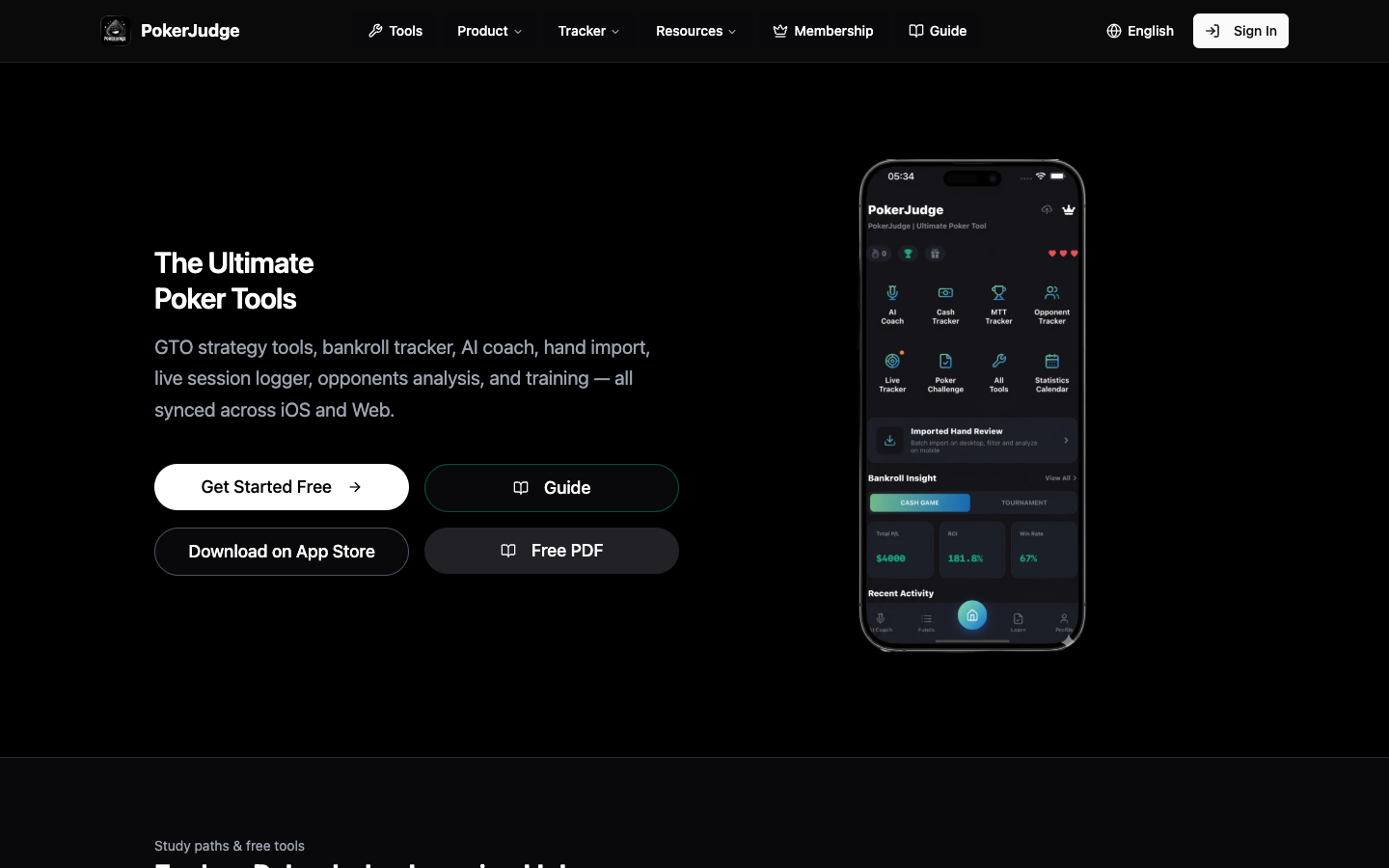
The homepage in the frame is that split. Get Started Free stays on the site. Download on App Store opens the listing for PokerJudge: Texas Holdem Suite, the app from ChainEpic LTD. The phone in the picture is the app home: AI Coach, Cash Tracker, MTT Tracker, Opponent Tracker, Live Tracker, Poker Challenge, All Tools, and Statistics Calendar. The dollars and percentages on that phone are drawn into the graphic. They are a sample, not a live ledger. Simplified Chinese is the same homepage at pokerjudge.com/zh.
The free poker toolbox
A lot of poker software locks the math behind a desktop download or a paywall. On PokerJudge the study directory runs in the browser, logged out, and that layer stays free.
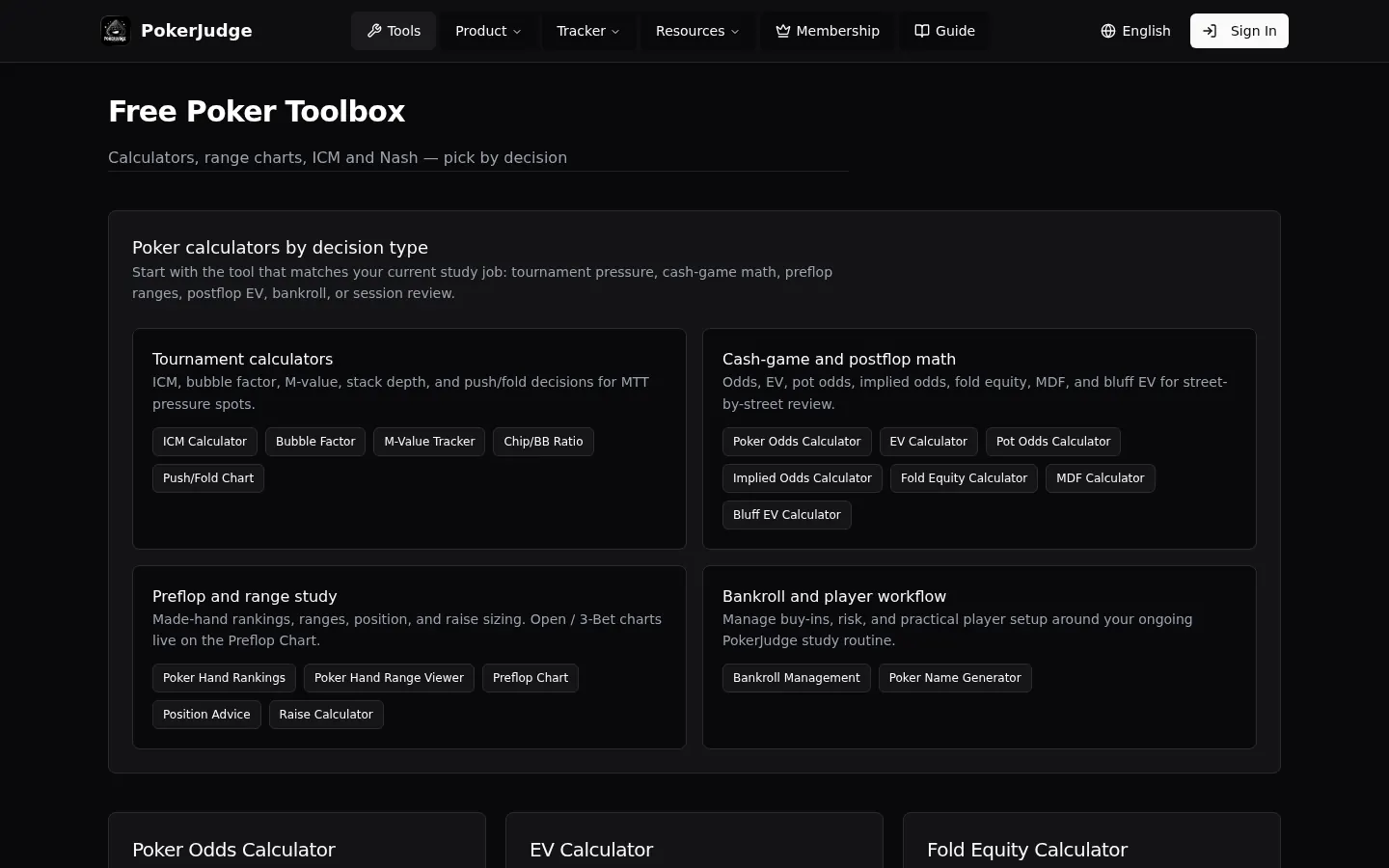
The eighteen calculators are grouped by the decision at the table, not by the name of a formula. Tournament pressure: ICM, bubble factor, M-value, chip-to-big-blind ratio, and push/fold charts. Cash-game and postflop math: pot odds, implied odds, EV, fold equity, minimum defense frequency, and bluff EV. Preflop and range study: the 169 starting-hand guide, the range viewer, preflop charts, positional advice, and raise sizing. The last group is the player workflow: bankroll calculators, and the smaller table utilities on that page, including a poker name generator.
The frame is that directory. Sign In is still in the corner. The free card on the pricing page is where the count of 18 is printed.
A half-pot call, checked before you act
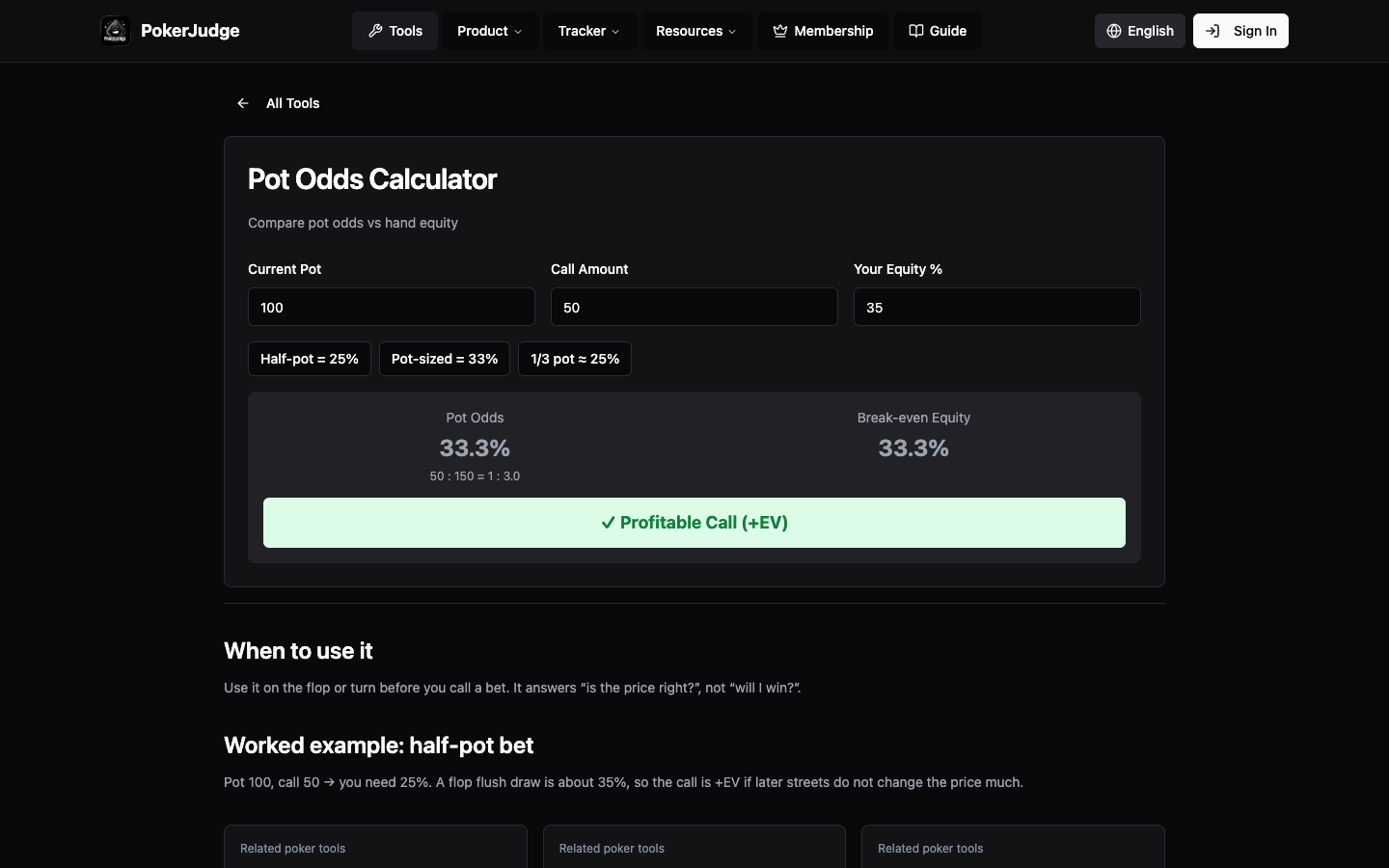
A flop flush draw is about 35% equity. Against a half-pot bet you open the pot-odds calculator, enter a pot of 100 and a call of 50, and the form prints 33.3% as the equity the call needs. Thirty-five sits above that, so the call is profitable if the later streets do not change the price. Then you go back to the table.
The frame is that page, with no account. The three fields are 100, 50, and 35. The form prints pot odds of 33.3%, the ratio 50:150, and a profitable call. The worked-example line under the form still says a pot of 100 and a call of 50 need 25%. Fifty divided by one hundred fifty is 33.3%. The number the form is using is 33.3%. The same calculator exists in Simplified Chinese.
One ledger across the web and iOS
Players do not stay on one screen. An online session is on a computer. A live cash game is on the phone in the cardroom. Sign-in is an email and a password, an Apple ID, or a QR code you scan from the PokerJudge app. Behind that login, the web dashboard and the iPhone and iPad app share one cloud ledger: hand histories, opponent notes, and session records.
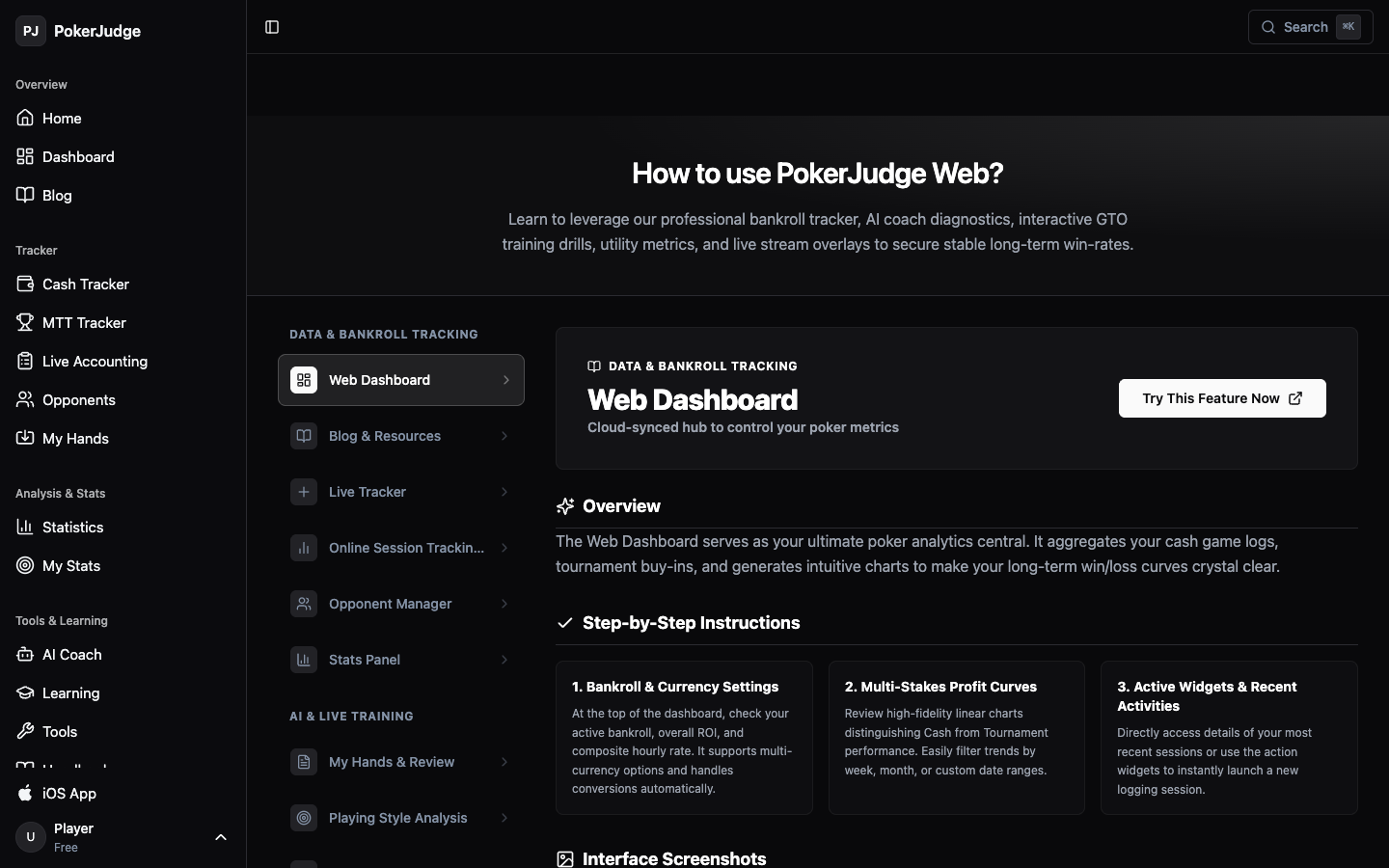
The guide in the frame is the web navigation for that ledger: Home, Dashboard, Cash Tracker, MTT Tracker, Live Accounting, Opponents, My Hands, Statistics, My Stats, AI Coach, and a row named iOS App. That row is the same App Store link. The corner of this capture reads Player, Free. It is still logged out. Dashboard in that menu goes to the login page. The Email tab asks for an email and a password. The App Scan tab tells you to open the app and scan the code on the page.
Cash, tournaments, and the home game, on one account
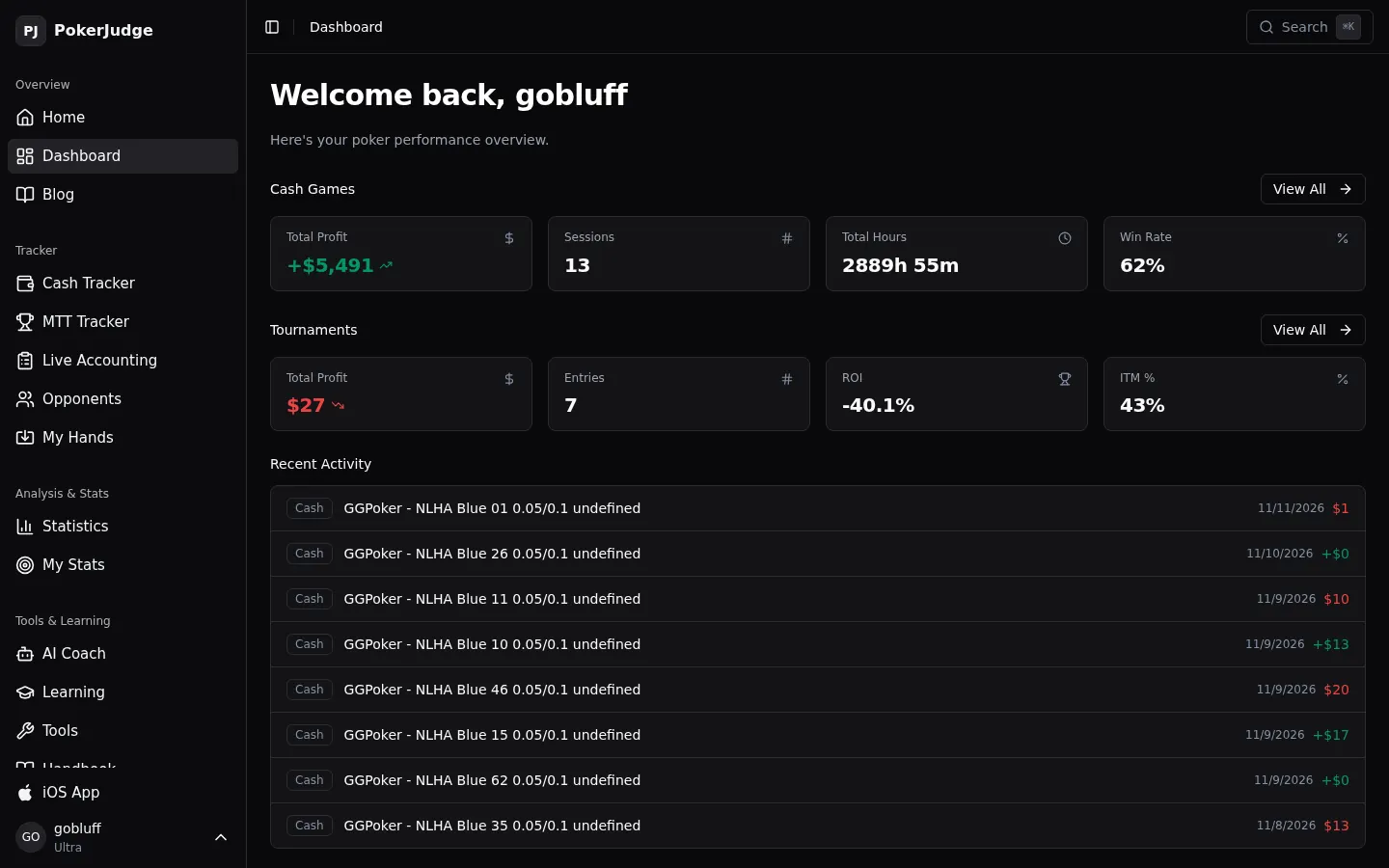
The signed-in home is where the two games sit next to each other. The frame is one account, gobluff, on the Ultra plan. Cash games: total profit +$5,491, 13 sessions, win rate 62%. Tournaments: 7 entries, ROI −40.1%, ITM 43%. The profit and the win rate are this account’s ledger.
Cash sessions: stake, duration, and the hourly rate
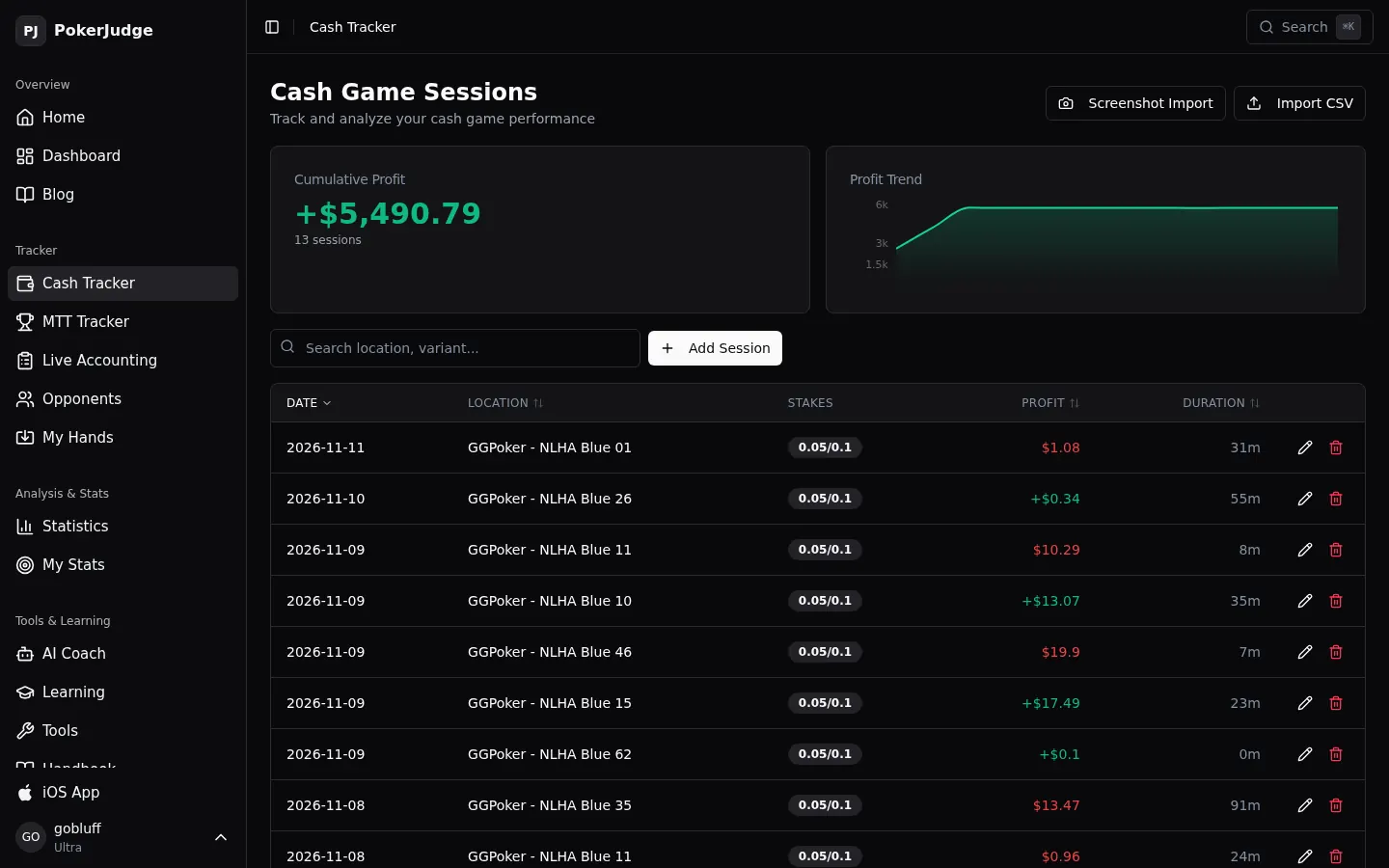
The cash tracker logs the stake, the buy-in, the cash-out, how long the session ran, and the hourly win rate. A stake can be a GGPoker no-limit hold’em table at $0.05/$0.10, or a live $1/$2. You add a session by hand, import a CSV, or import a screenshot.
The frame is titled Cash Game Sessions. Cumulative profit prints +$5,490.79 across 13 sessions. The dashboard’s cash tile rounds that same profit to +$5,491. The rows are GGPoker tables at 0.05/0.1, dated from 8 November 2026 through 11 November 2026. Screenshot Import and Import CSV sit above the chart.
The same thirteen sessions, with buy-in and cash-out
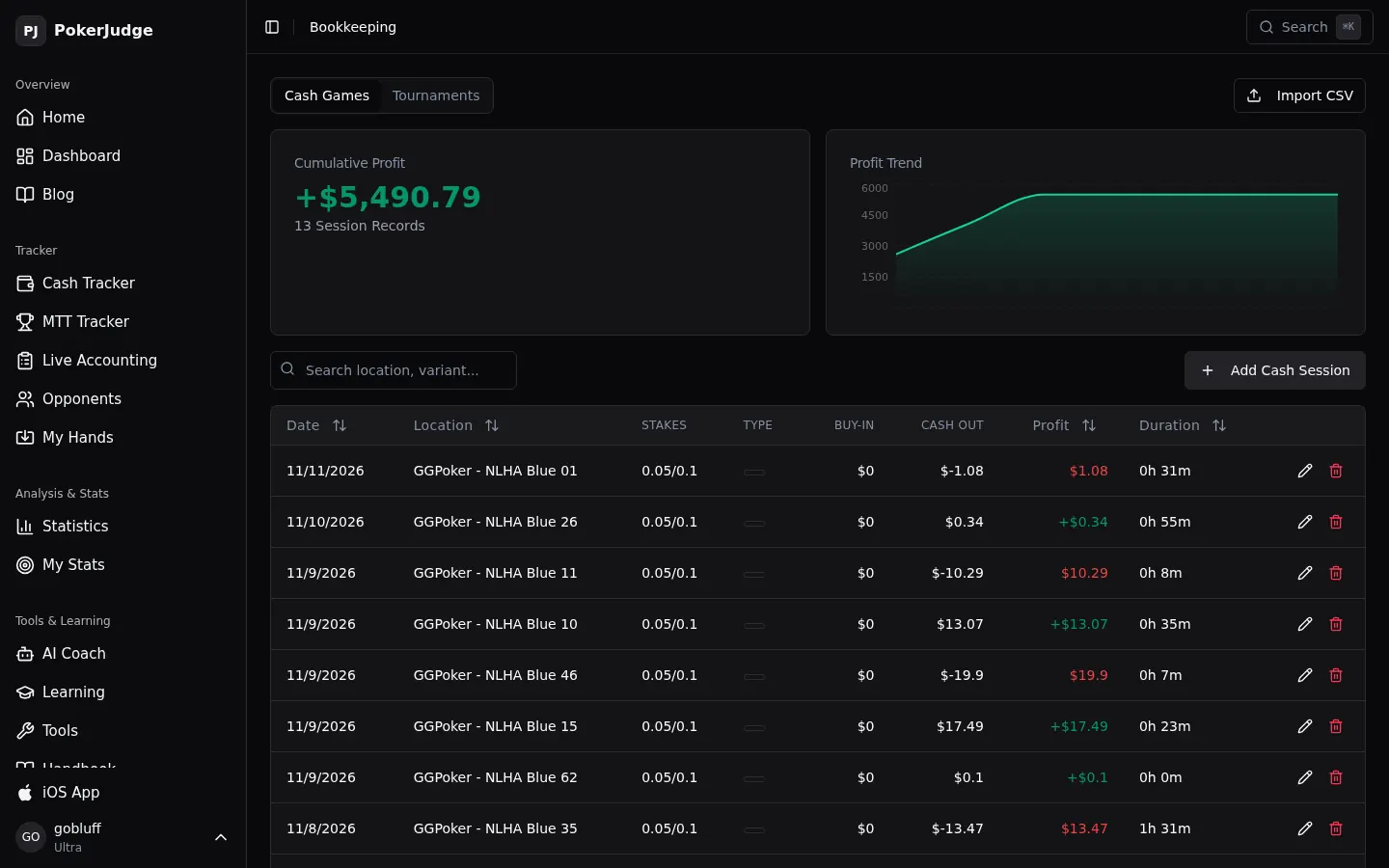
Bookkeeping opens on Cash Games for the same account. Cumulative profit is +$5,490.79, and the line under it says 13 Session Records. That is the pair the cash tracker prints. This table adds the buy-in and the cash-out. On the GGPoker rows in the frame, the buy-in is $0. A Tournaments tab sits next to Cash Games.
Tournaments stay off the cash ledger
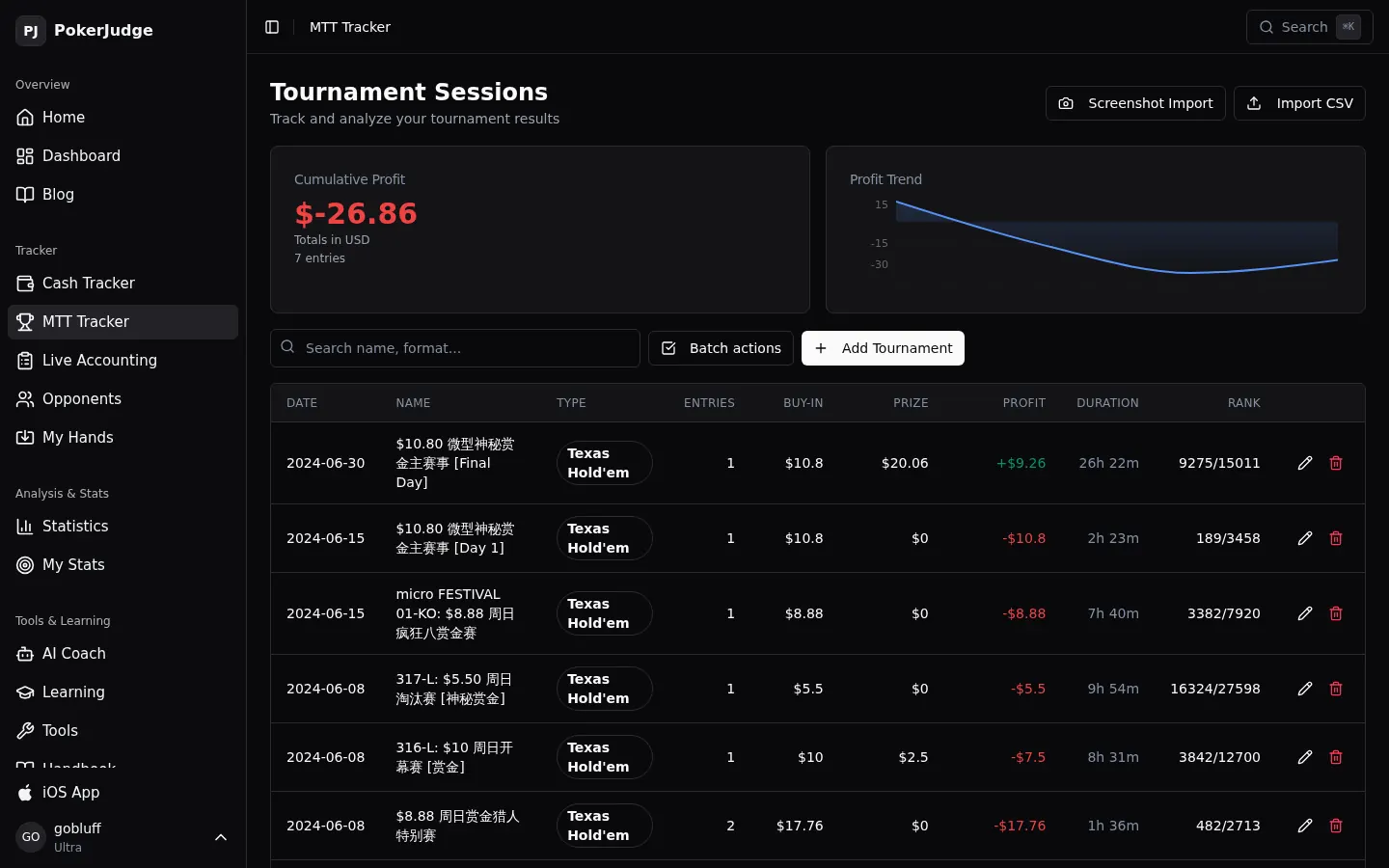
The tournament tracker keeps entries, buy-ins, prizes, finishing ranks, ITM%, and ROI apart from cash games. One finish in the frame is 9,275 / 15,011, in a tournament whose title reads micro FESTIVAL. The type on the rows is Texas Hold’em. The seven entries on this account total −$26.86, which is the ROI of −40.1% and the ITM of 43% on the dashboard. Screenshot Import and Import CSV are in the same places as on the cash page.
A home game that has to balance before anyone leaves
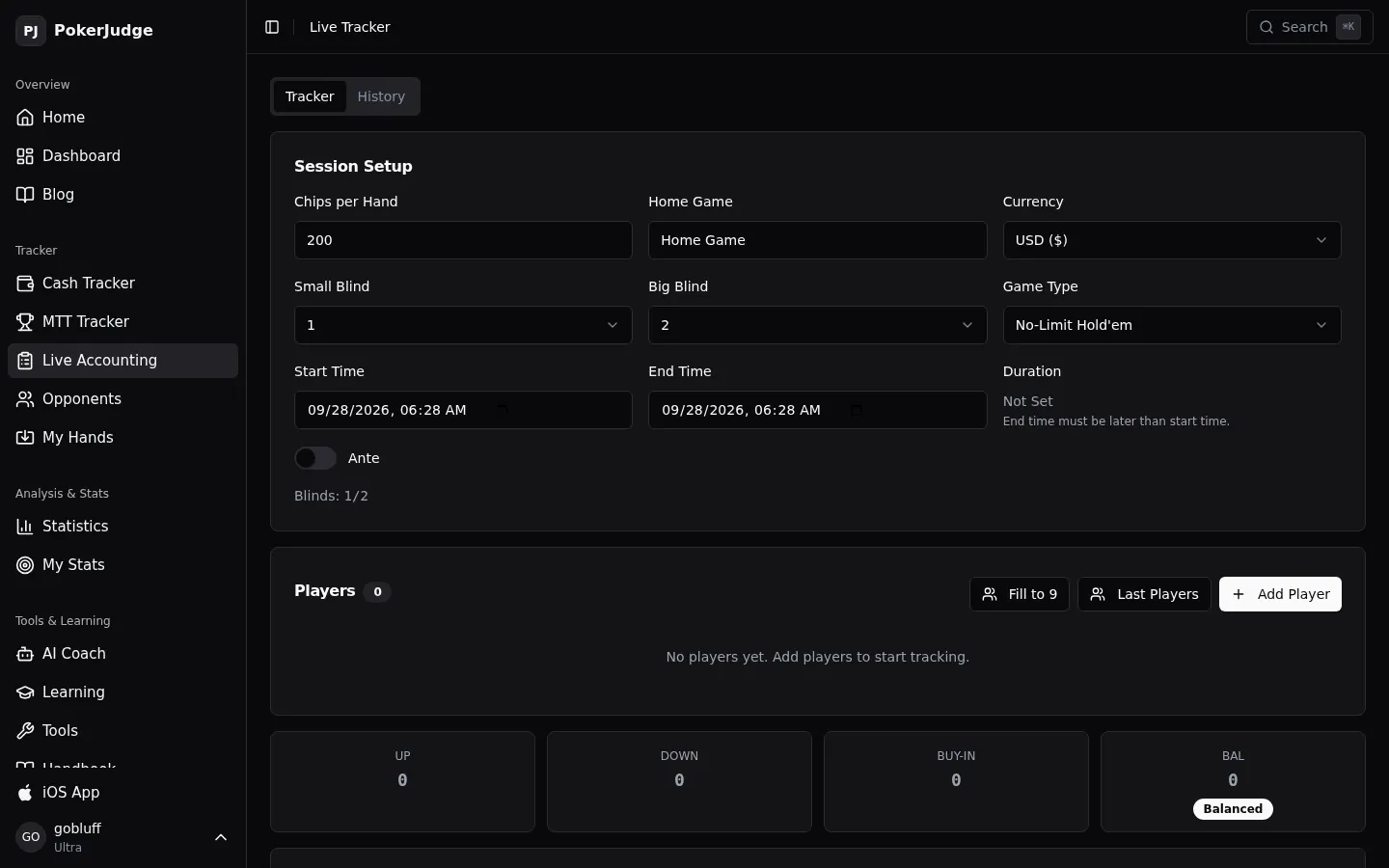
Live accounting is for a private game. You set the blinds and what a chip is worth, add the people at the table, and log each buy-in, rebuy, and cash-out. The Balanced chip is the check on the host’s arithmetic at the end of the night.
The frame is that table before anyone sits down. The sidebar row reads Live Accounting. The title reads Live Tracker. The setup is 200 chips a hand, blinds 1 and 2, no-limit hold’em, USD. Players is 0. Up, down, buy-in, and the balance are 0, and the chip already reads Balanced.
The AI coach writes the hand out
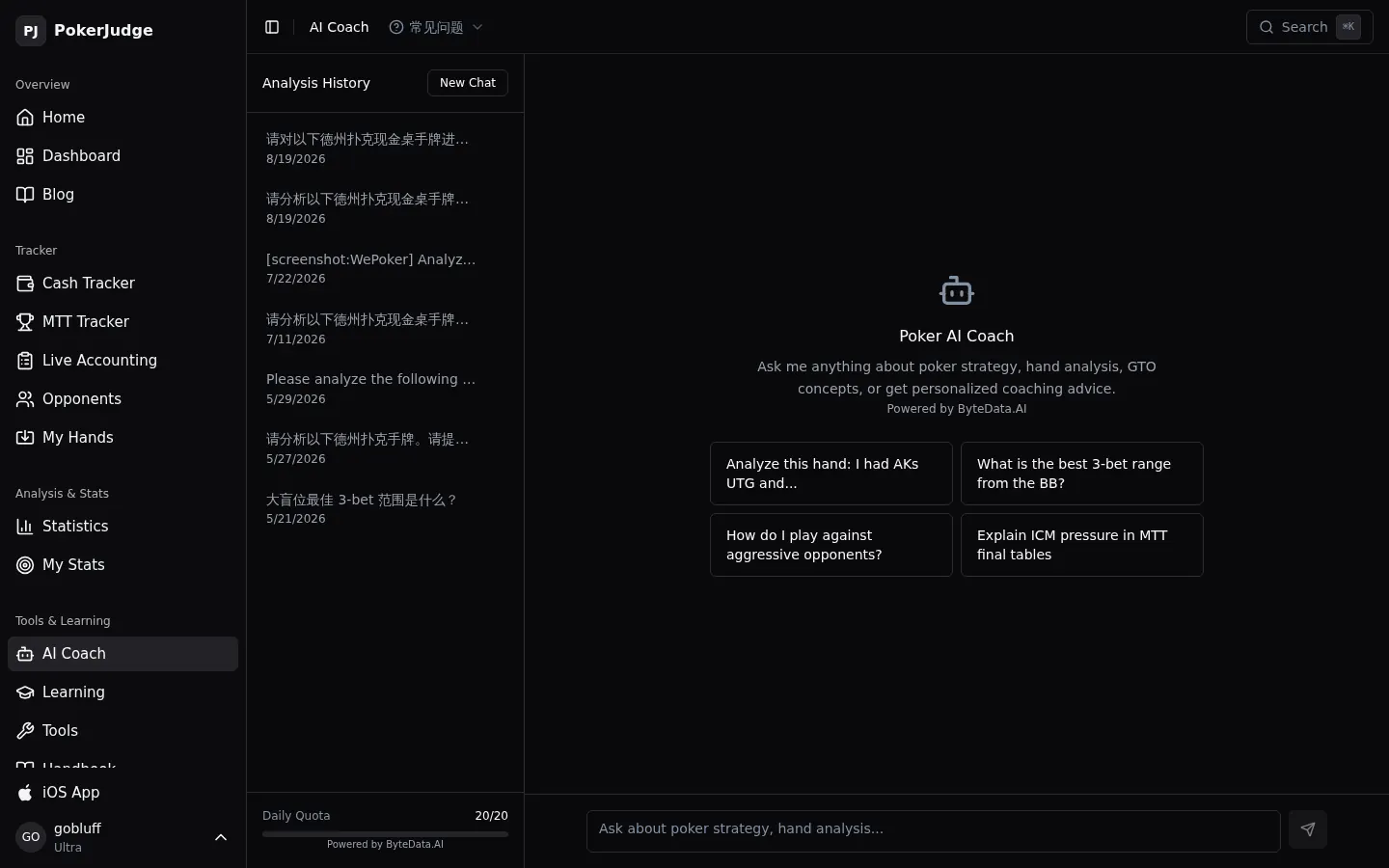
The coach is our ByteData.AI engine. It does not stop at a solver grid. The web chat streams the spot in plain language, and one review can run to 15,000 tokens. You type or paste the hand, import a hand-history file, or open a session the site has already parsed, and read where the preflop or postflop line leaks.
The frame is that chat, still empty, on the same Ultra account. The title is Poker AI Coach. Four prompt cards sit under it, with the line Powered by ByteData.AI. The meter reads Daily Quota 20/20. That 20 is the Ultra cap on the pricing page. The free tier is 3 reviews a day. Pro is 10.
Three prices, and the cap on each card
There is no hidden trial and no renewal you have to go looking for. Three tiers. The website bills in US dollars through Stripe. The App Store charges a localized in-app purchase for the same plans. You can cancel in one click. A refund inside 7 days is one email, and we do not ask you to make a case for it.
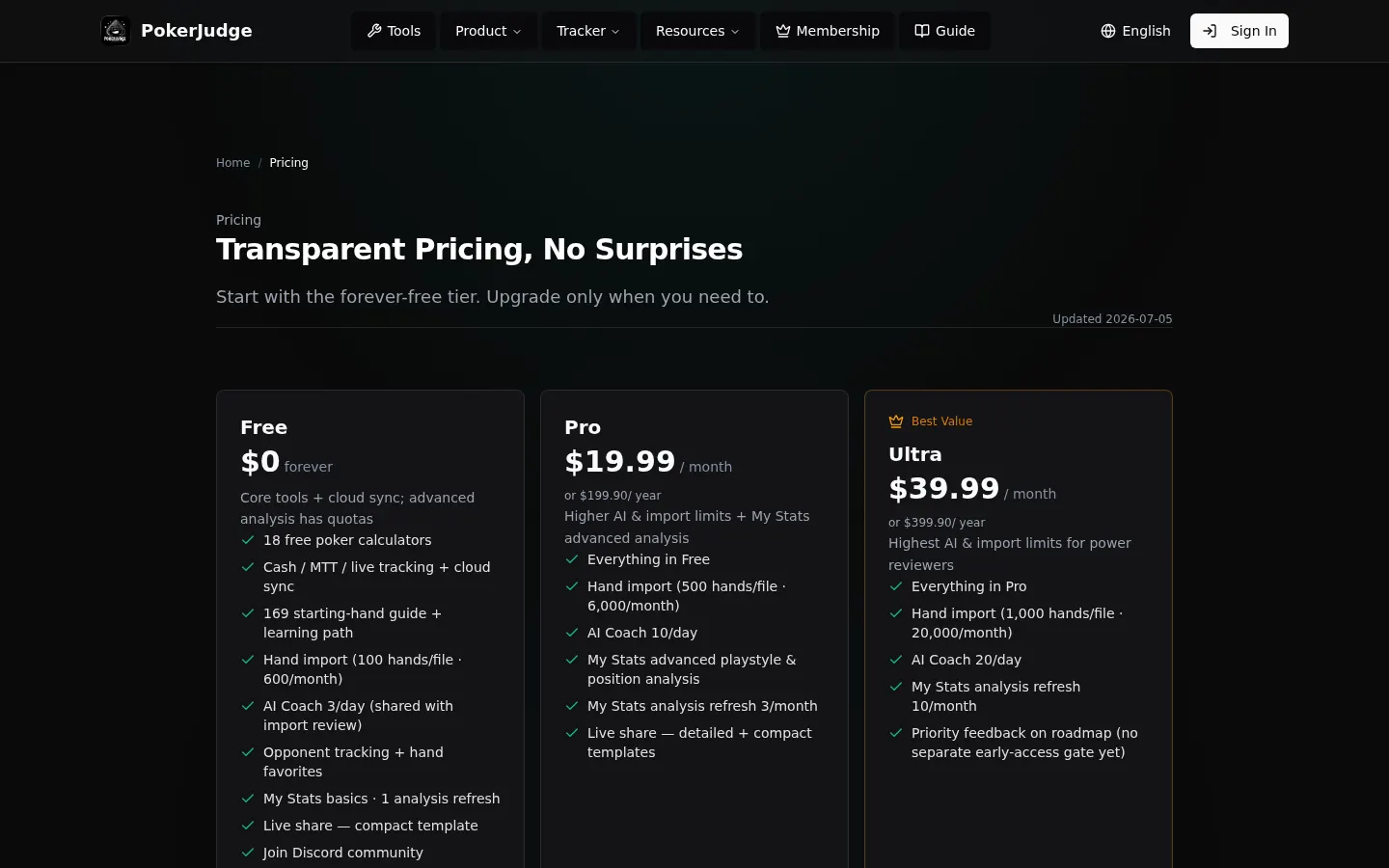
Free is $0, and it stays there. All 18 calculators, cloud-synced cash, MTT, and live tracking, the 169 starting-hand guide, opponent notes, hand import up to 600 hands a month and 100 a file, and 3 AI Coach reviews a day.
Pro is $19.99 a month, or $199.90 a year. It is the tier for someone playing on a regular schedule: 10 AI Coach requests a day, 6,000 hands a month and 500 a file, advanced My Stats, and 3 full stat refreshes a month.
Ultra is $39.99 a month, or $399.90 a year. It is the tier for a heavy schedule: 20 AI Coach requests a day, 20,000 hands a month and 1,000 a file, 10 stat refreshes a month, and a priority line for feedback on the roadmap.
The frame is that page, logged out. The line under Transparent Pricing, No Surprises is dated Updated 2026-07-05. The Ultra card is marked Best Value. These dollar amounts are the Stripe prices.
The strategy desk stays in the free layer
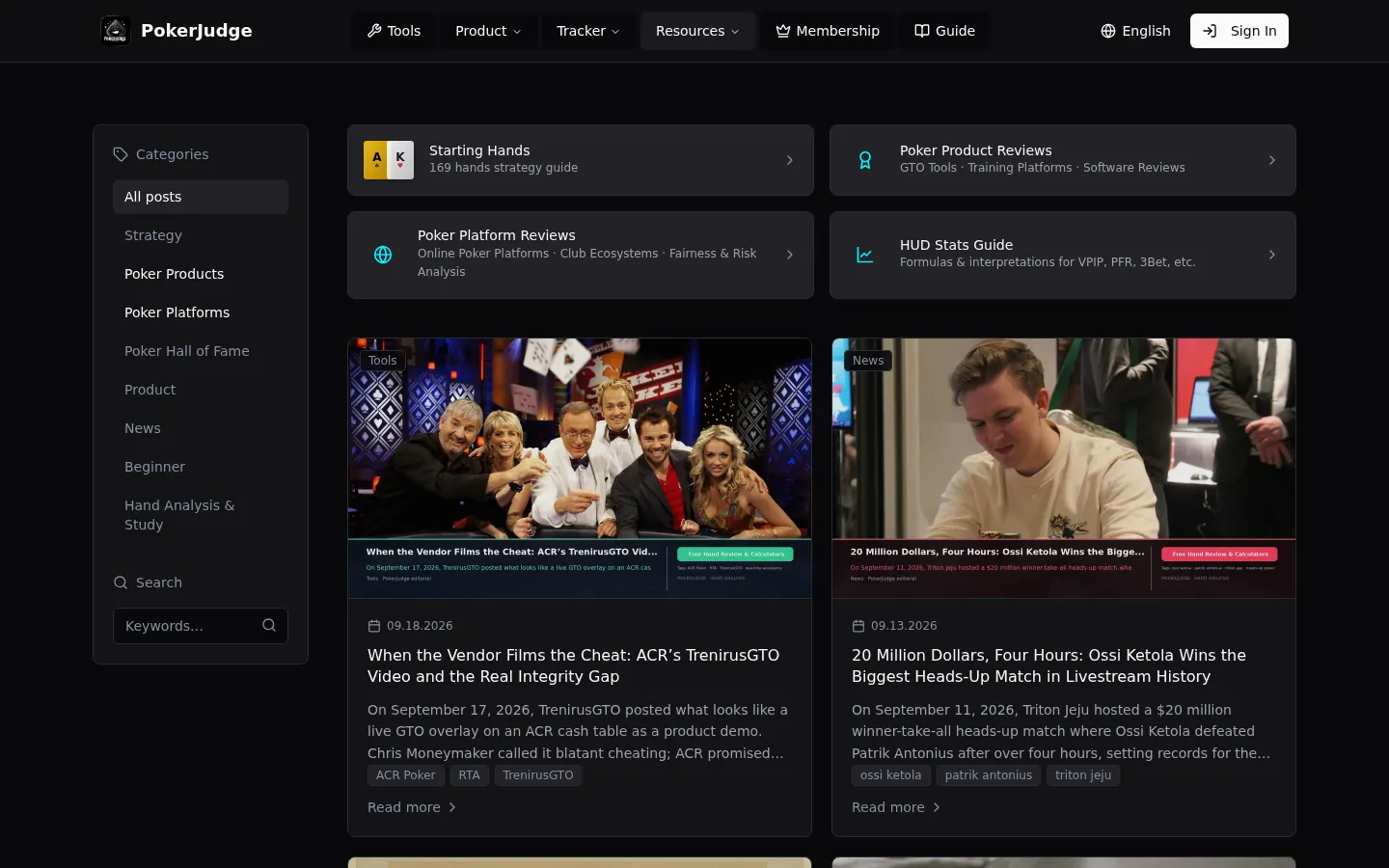
The blog is the editorial half of the open layer: strategy, hand reviews, product notes, and platform notes. It opens with no account, same as the calculators.
The index in the frame is logged out. The left column is the categories, from Strategy and Hand Analysis & Study through Poker Products, Poker Platforms, and News. Starting Hands says 169 hands strategy guide. That is the same 169 as the free pricing card. Two posts are in the frame. The card dated 09.18.2026 is When the Vendor Films the Cheat: ACR’s TrenirusGTO Video and the Real Integrity Gap. The card dated 09.13.2026 is 20 Million Dollars, Four Hours: Ossi Ketola Wins the Biggest Heads-Up Match in Livestream History.